Time Capsule II:
From Physical Objects
to Digital Memories.
For the second part of the Time Capsule project, I wanted to find a way to preserve the six objects I selected in Part 1.
One of those objects was my Nintendo DS Lite, which holds a lot of memories from my childhood. Since I was already thinking about how to preserve memories through familiar objects, I started wondering if the NDSL itself could become the time capsule.
However, the other five objects were very different in size and form. Some were too large to fit inside a container, some were still in Taiwan, and others could not be preserved physically for a long time. This led me to explore different ways of representing them.
1. Ideation, Sketching & Prototyping
Idea 1: Nintendo DS Lite as a Container
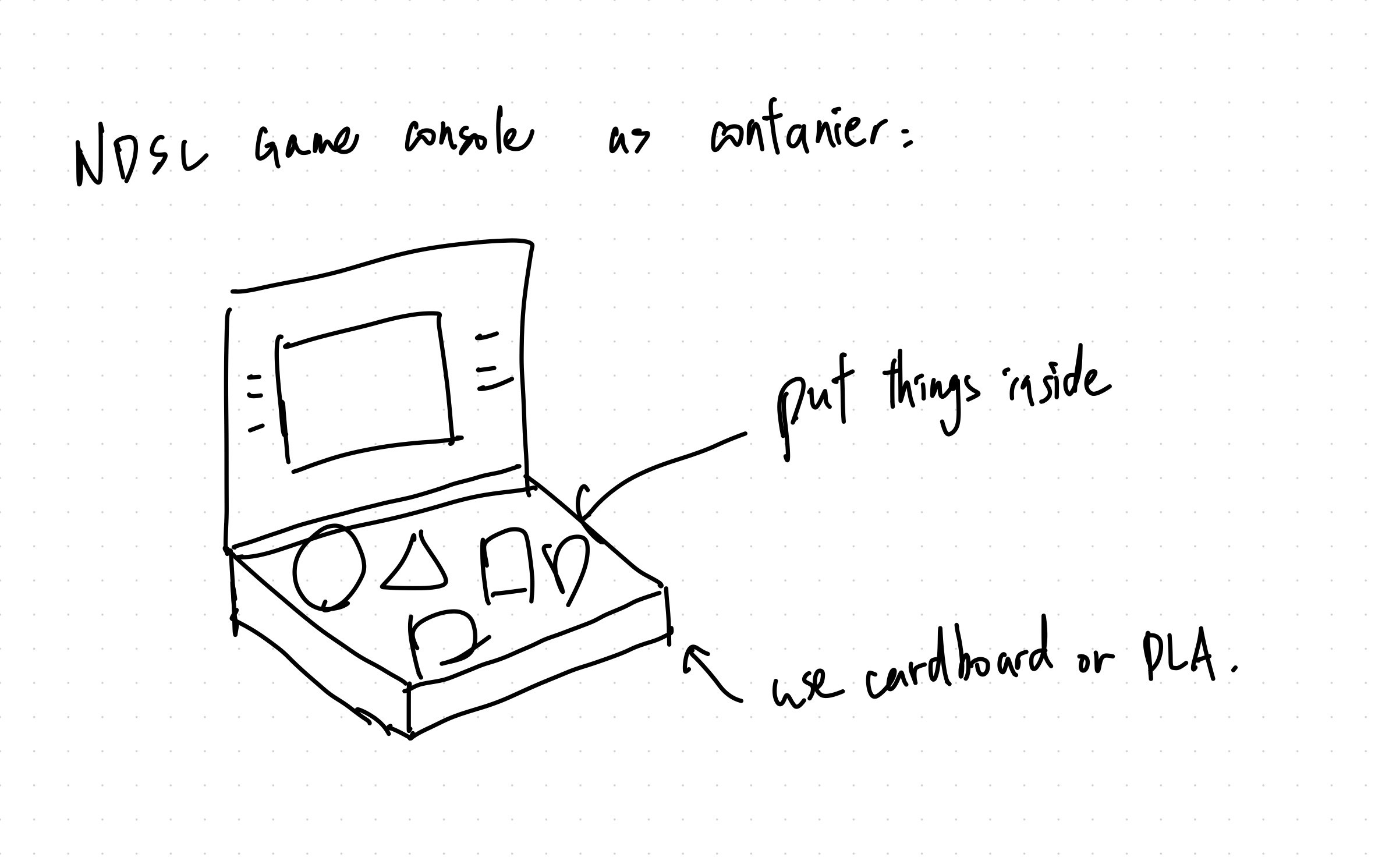
My first idea was to transform my Nintendo DS Lite into a physical time capsule.
The NDSL was one of the six memory objects I selected in Part 1. It was an important part of my childhood, not only because of the games I played, but also because of the experience of holding the console, opening it, and spending time exploring different games.
I wanted to preserve that familiar physical experience while giving the console a new purpose. Instead of storing electronic components, the enlarged NDSL would become a container for other memories.
This also meant that the console would not simply be packaging. Its shape and the way someone interacts with it would already represent one of my memories.
Idea 2: Game Cartridge as a Container
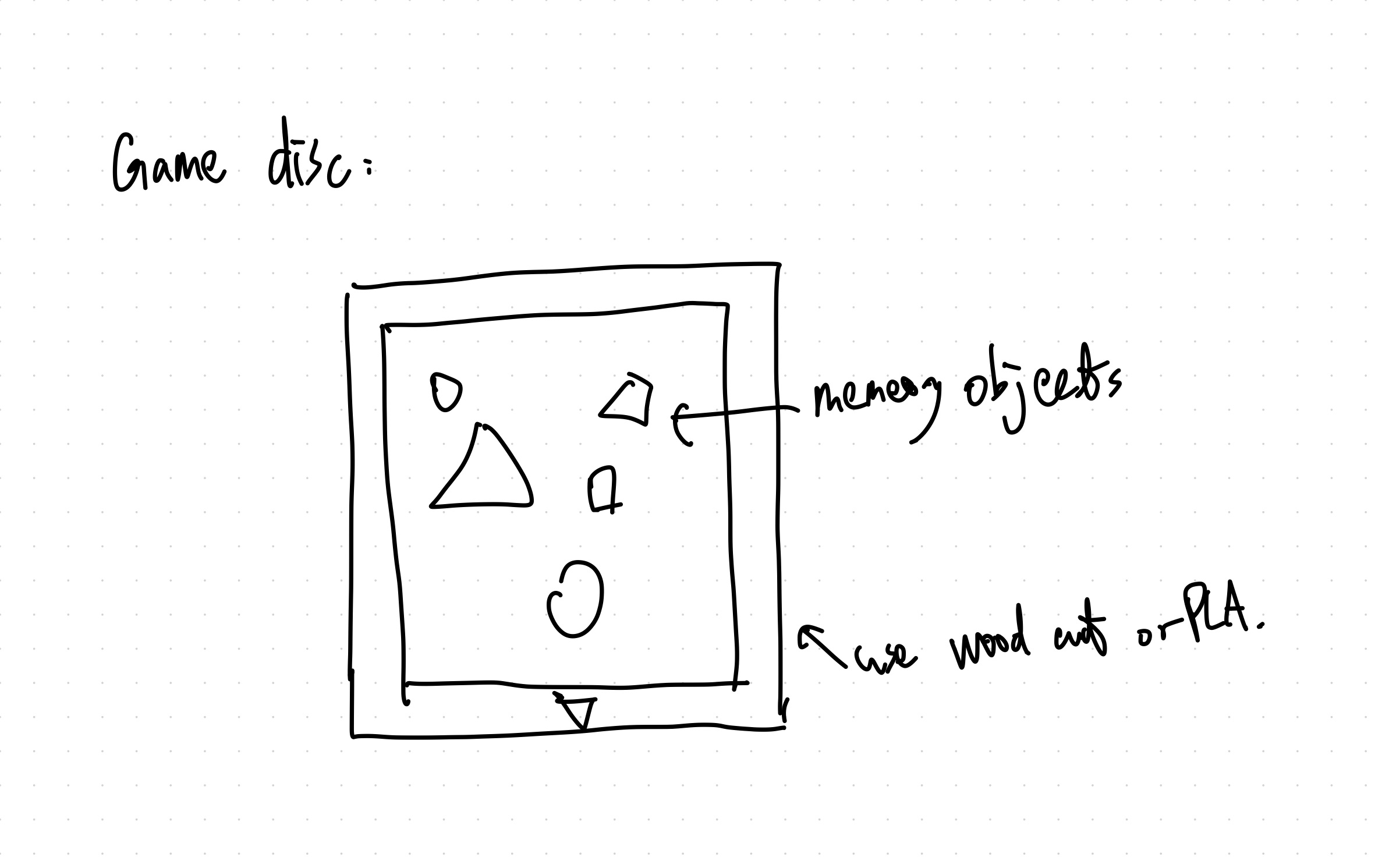
My second idea was inspired by Nintendo DS game cartridges.
I liked the idea that something so small could contain an entire game, including its characters, stories, and experiences. I wondered if a cartridge could similarly hold a personal memory.
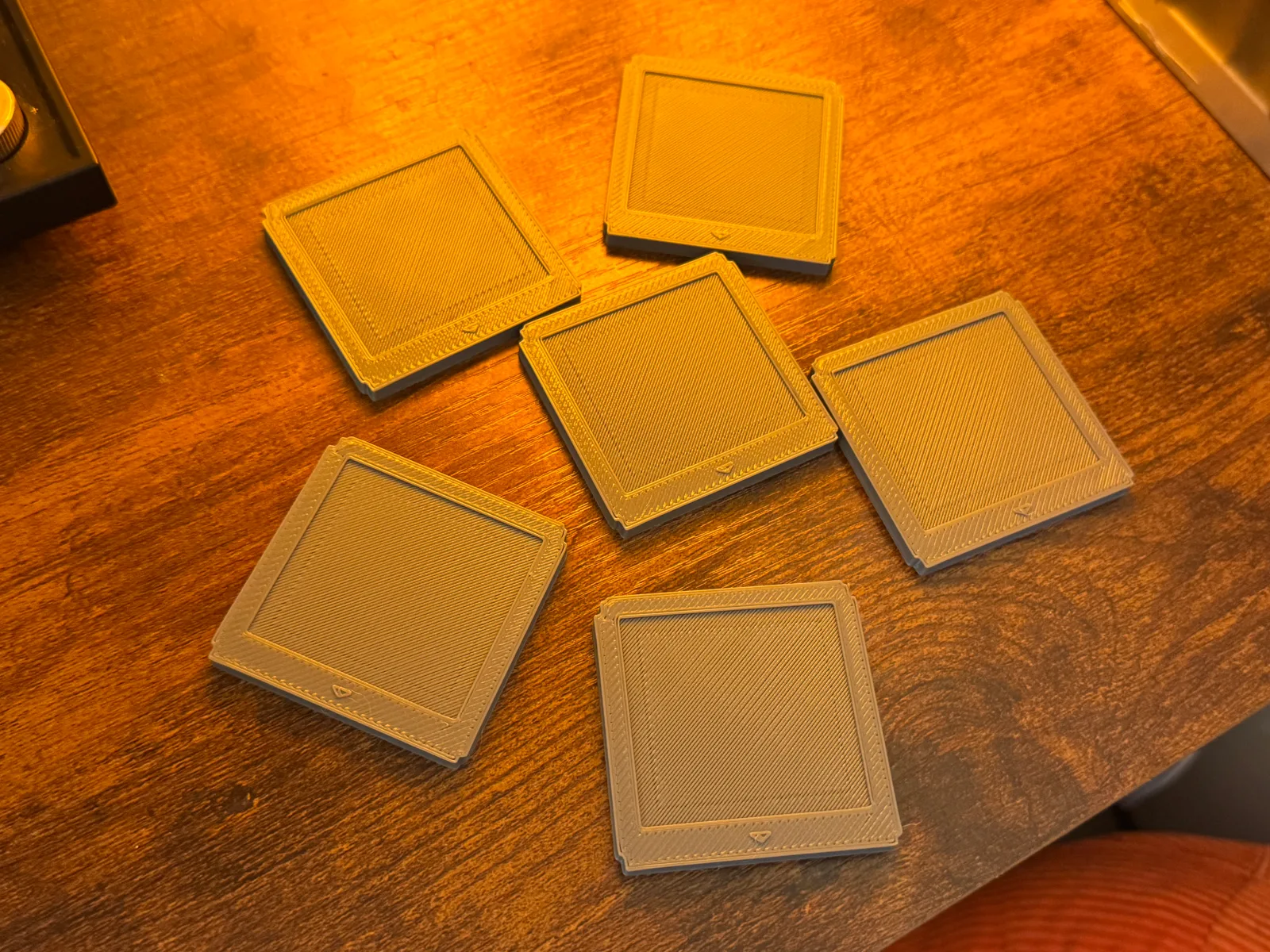
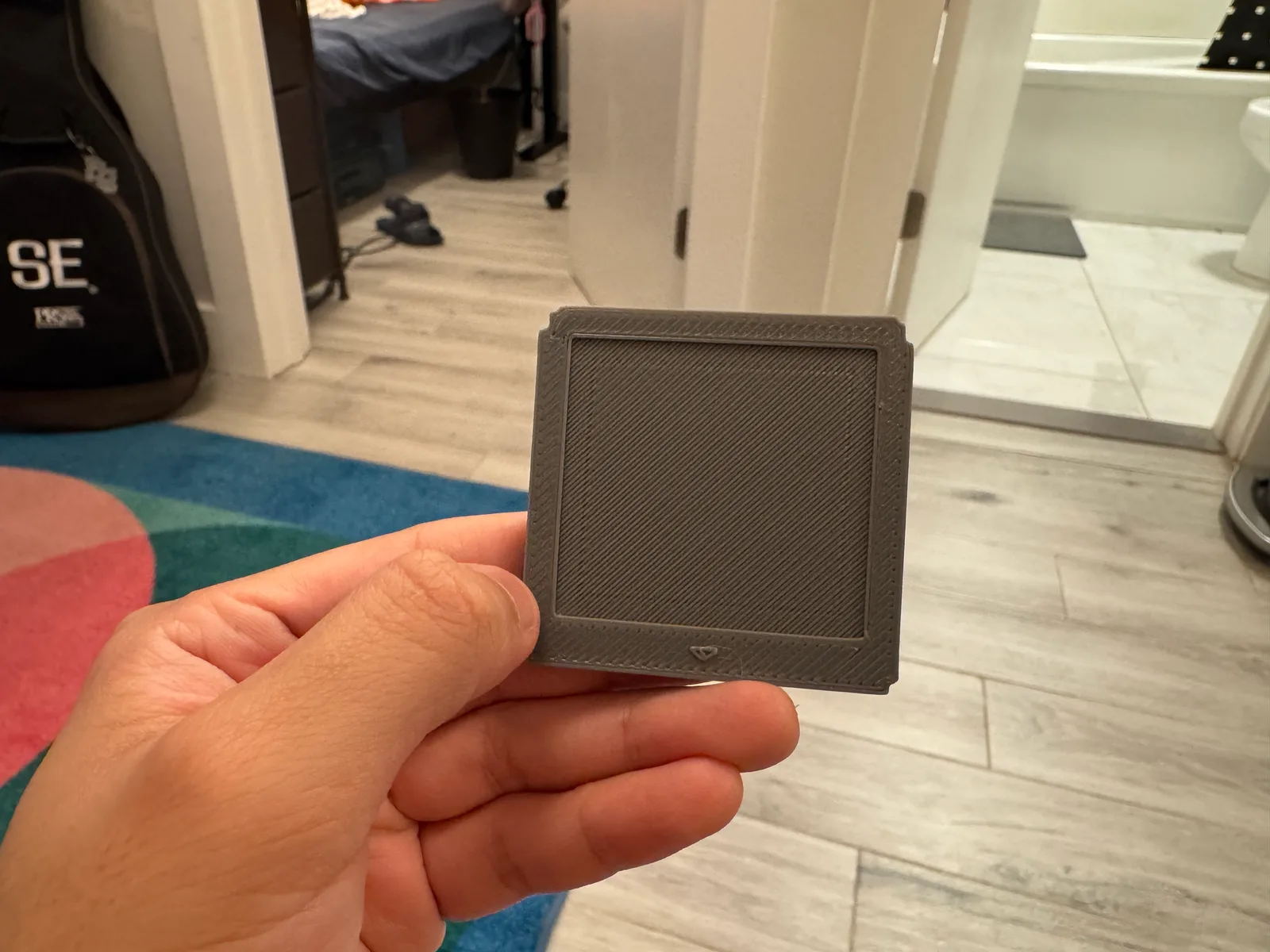
I experimented with an enlarged cartridge model using CAD and 3D printing.
Idea 3: Virtual Memory Pages
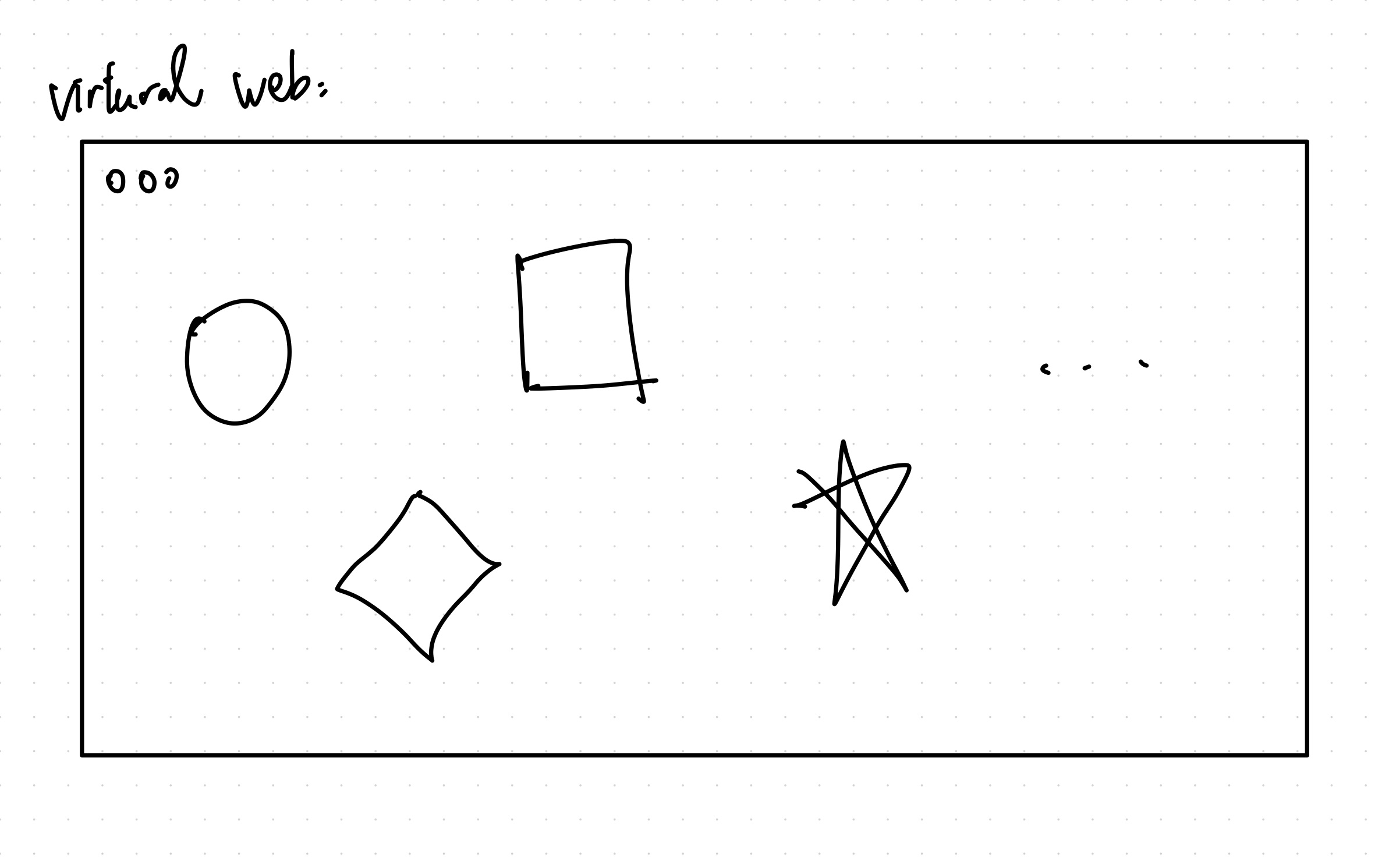
For the third direction, I explored the possibility of preserving memories digitally.
Instead of keeping the original objects, I could store related photographs, audio recordings, 3D models, or webpages, and use NFC tags to access them through a phone.
Combining the Three Ideas
Eventually, I realized that the three ideas could work together.
The Nintendo DS Lite could represent my own childhood memories while also becoming the main container. Inside it, five game cartridges could represent the other objects from Part 1. Each cartridge would include an 8-bit illustration and an NFC tag linking to a different digital memory.
I liked this solution because all six objects could be preserved without having to physically reproduce every original object.
The NDSL itself becomes the sixth memory, while the other five are stored inside it.
2. Creating the Time Capsule
2.1 From Digital Models to Physical Objects
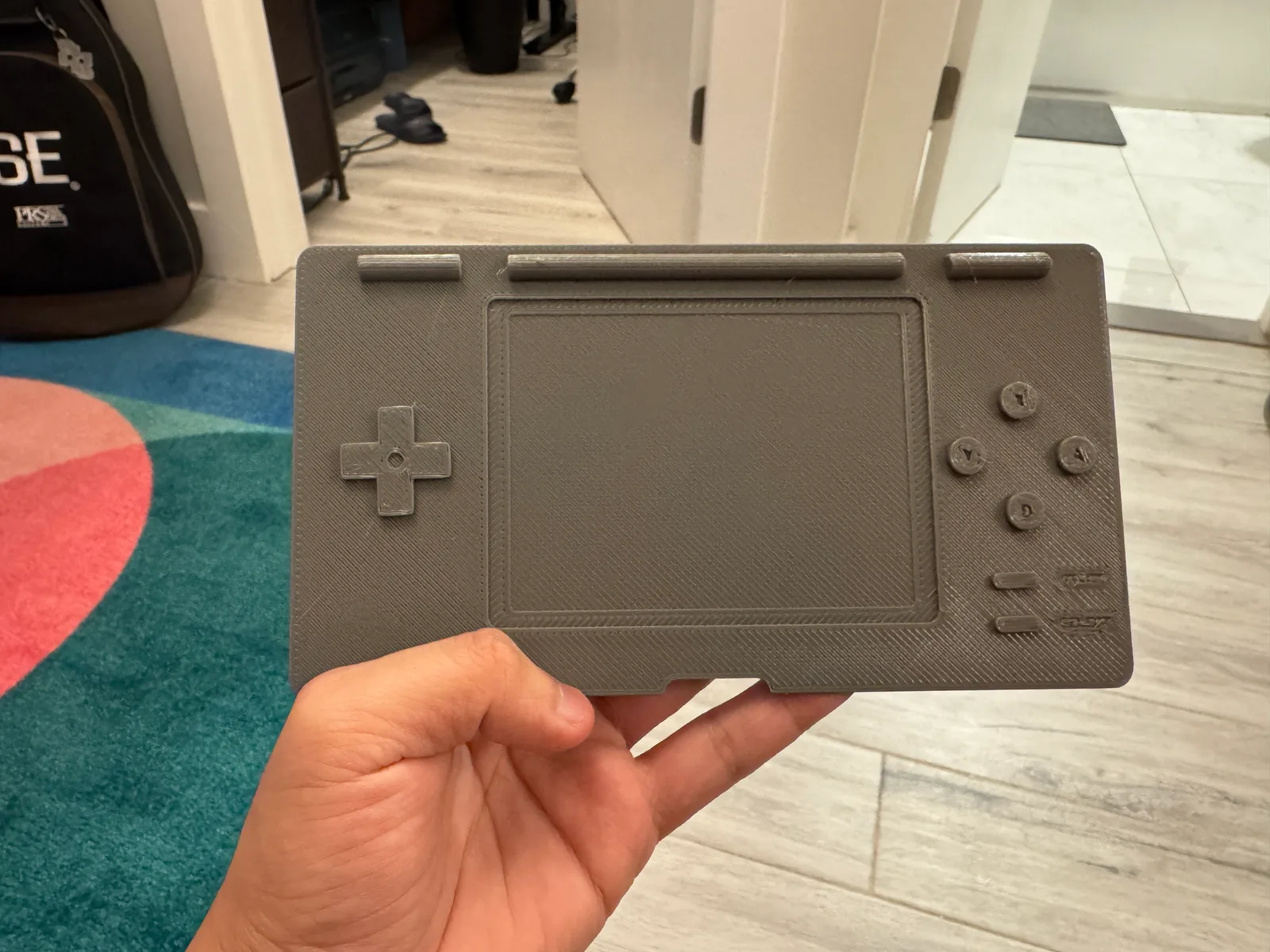
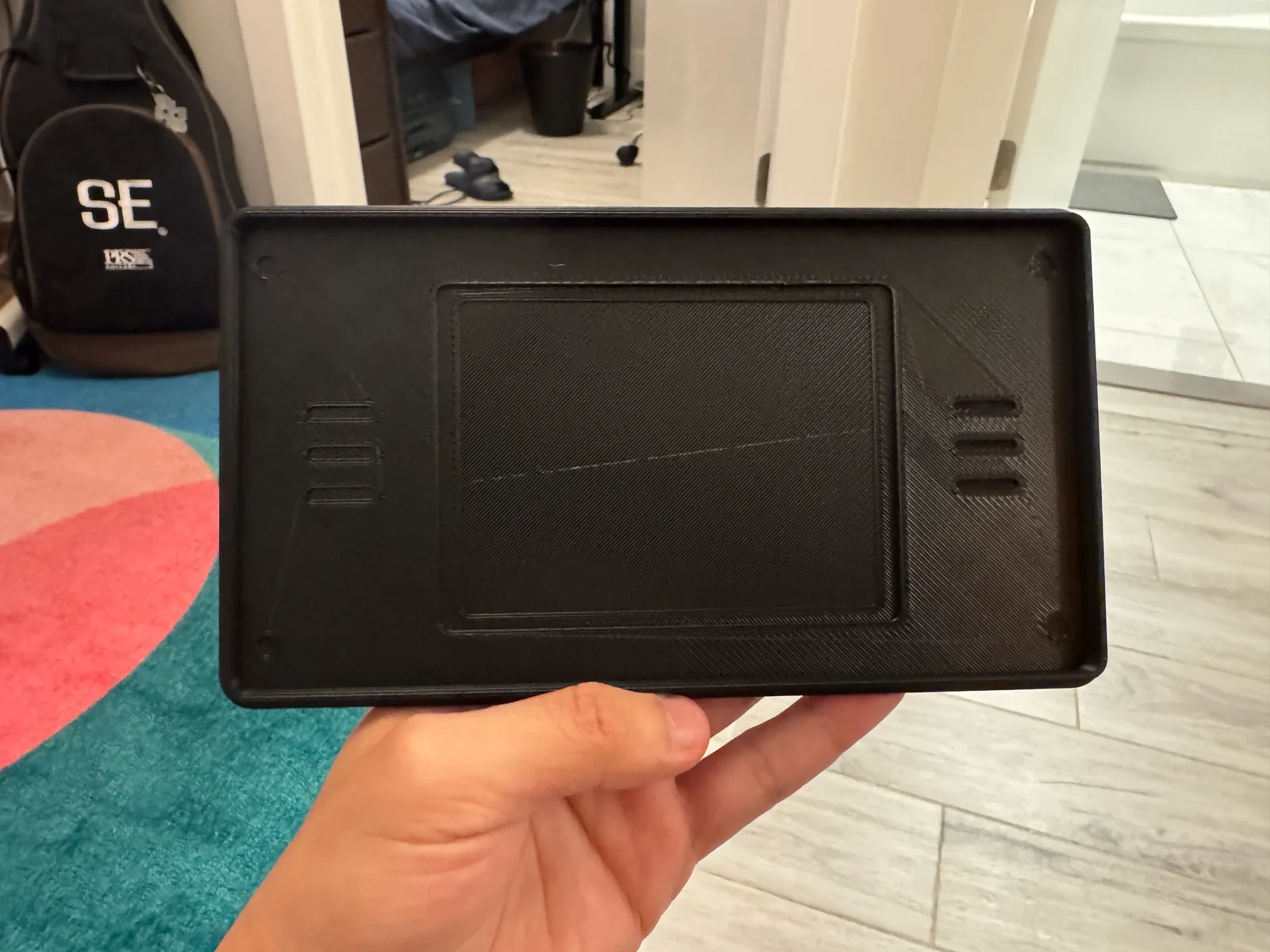
After combining the three ideas, I continued developing the Nintendo DS Lite shell and the game cartridges using CAD and 3D printing.
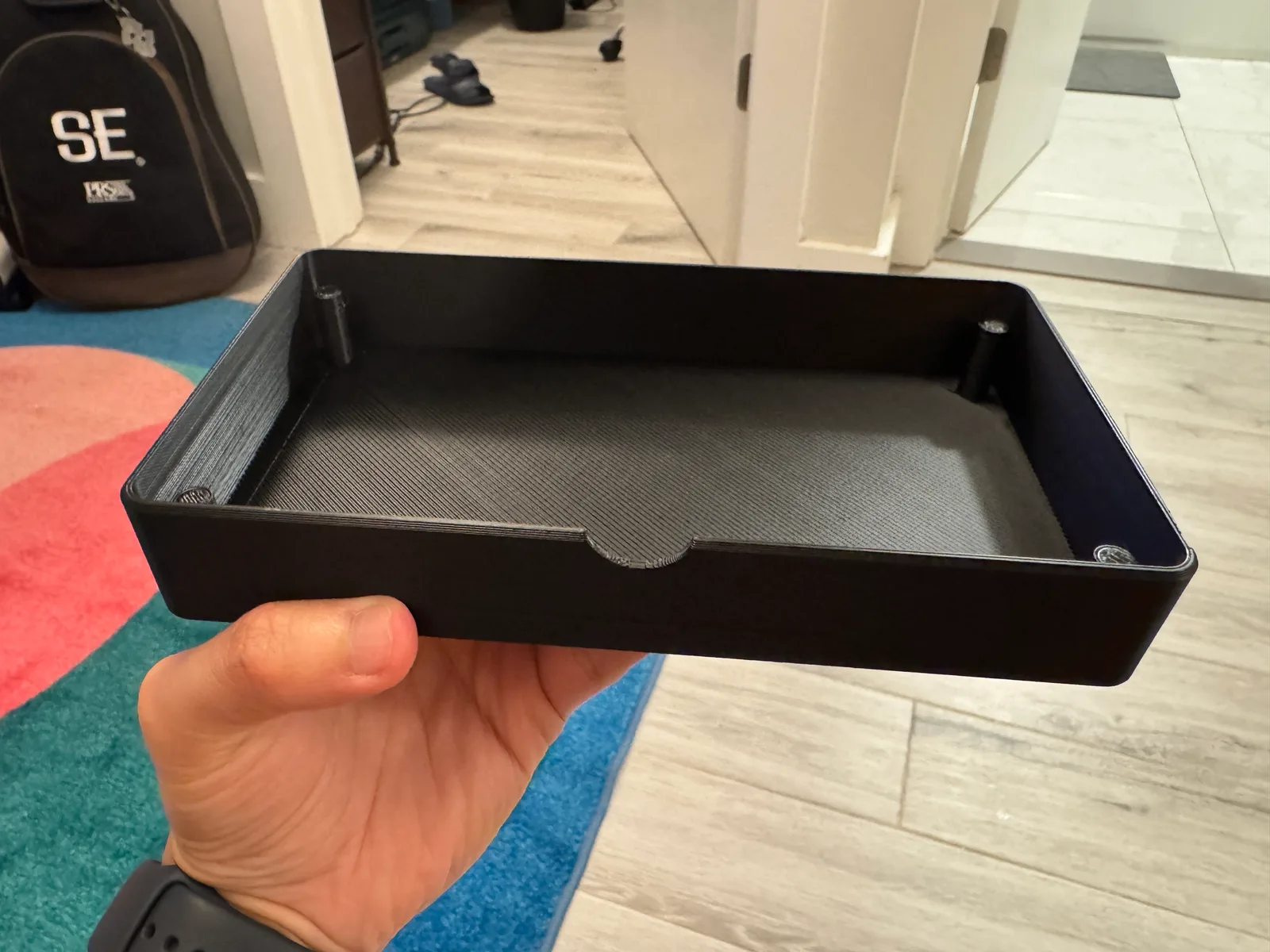
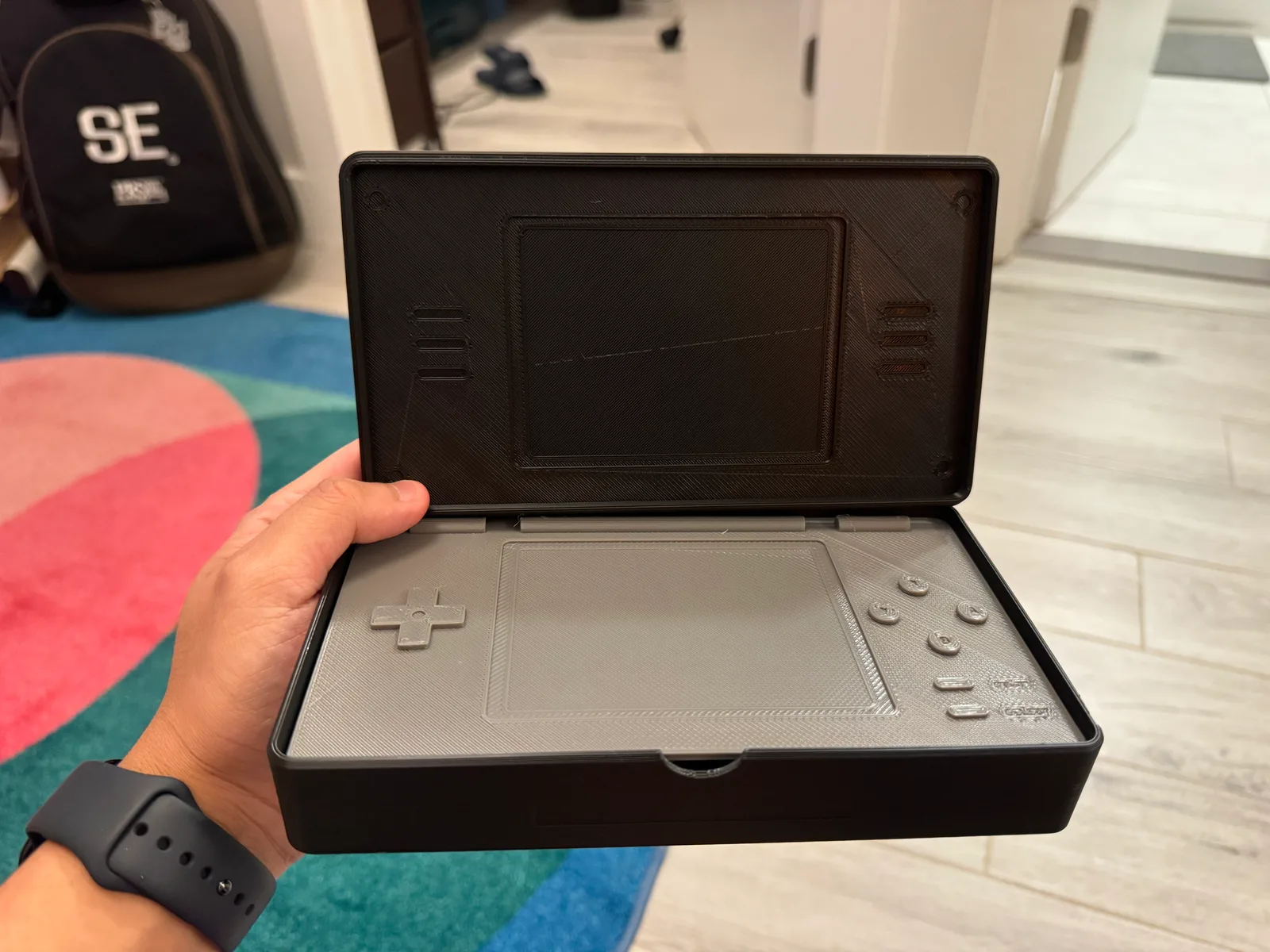
I designed the NDSL with a hollow interior and separate components, keeping familiar details such as the screen, buttons, and overall shape while turning it into a storage container.
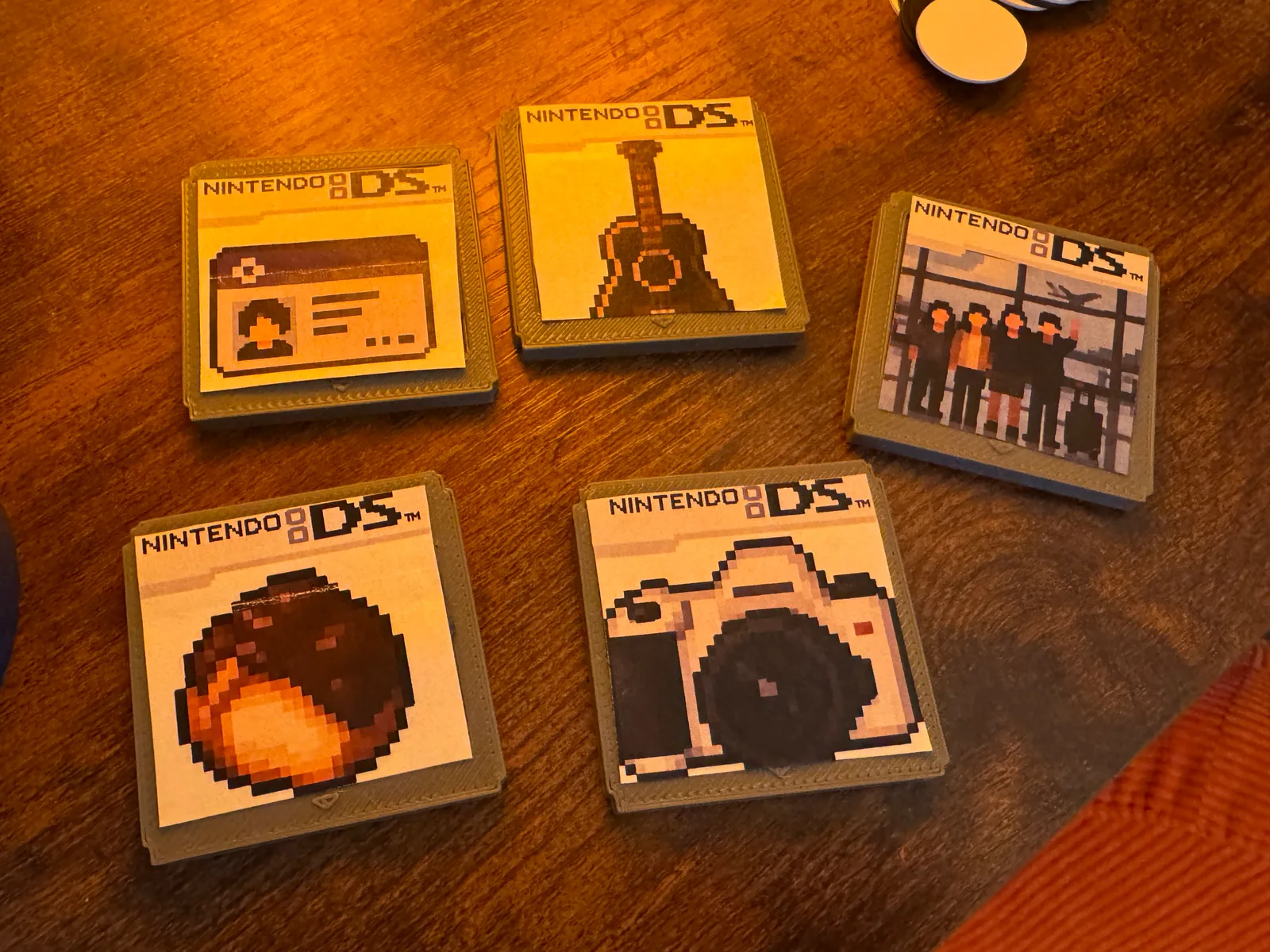
I also 3D printed five Nintendo DS-inspired cartridges, each representing one of the other objects from Part 1.
2.2 Making the Memory Cartridges
Since the original objects were either too large or not physically available, I decided to represent them using 8-bit pixel art.
I chose this style because it reminds me of older video games, while also giving five very different objects a consistent visual appearance.
I printed the illustrations on paper, cut them out, and attached them to the 3D-printed cartridges.
This allowed me to combine digital modeling, 3D printing, pixel art, and simple paper crafting in one project.
2.3 Connecting Physical and Digital Memories
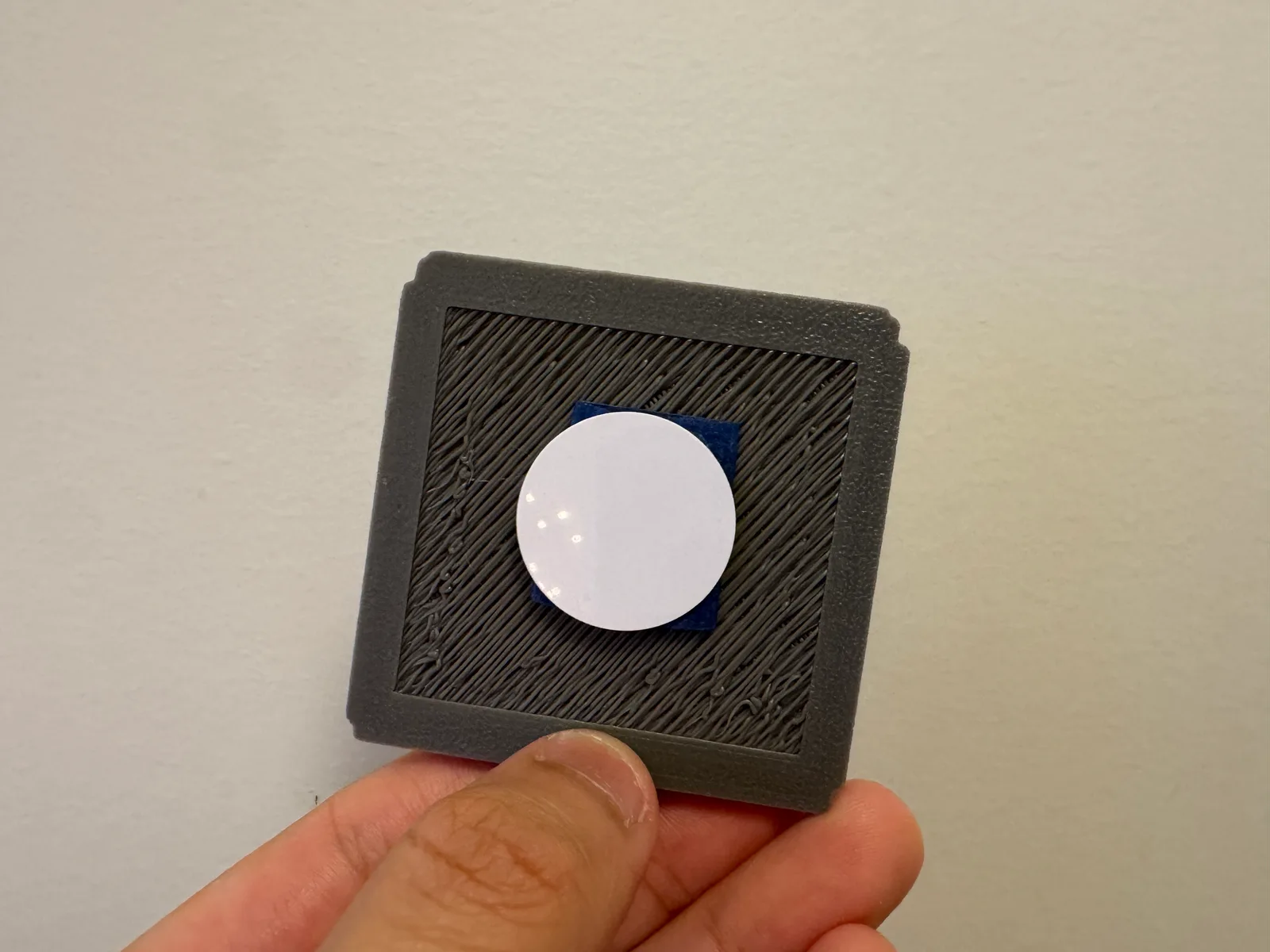
I attached an NFC tag to the back of each cartridge. Scanning the tag with a phone opens a different type of digital content related to that object.
Instead of storing all the memories physically, the cartridges act as a bridge between the physical and digital versions of the objects.
This also brings my third idea, Virtual Memory Pages, into the final design.
2.4 Putting Everything Together
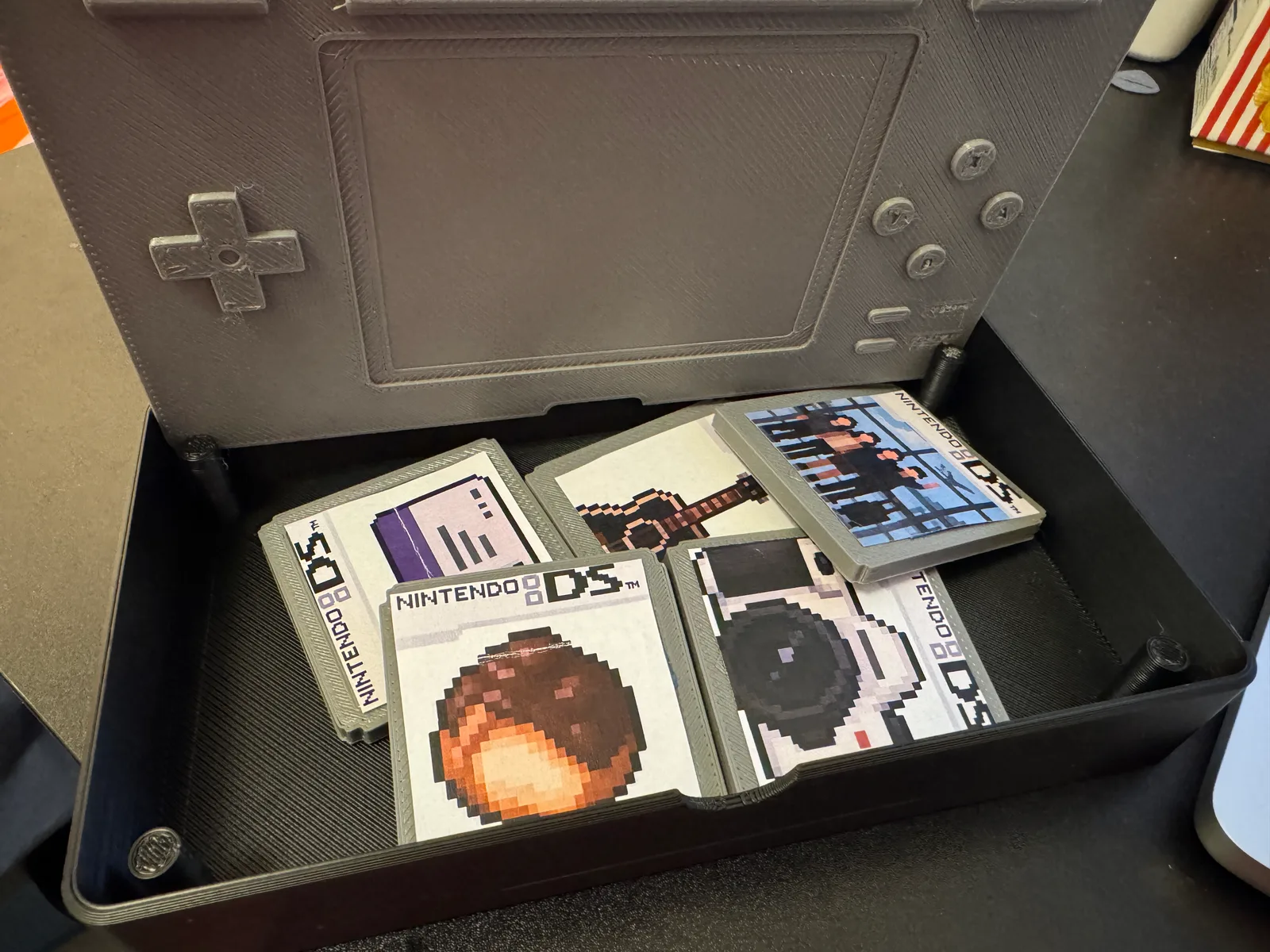
Finally, I placed all five cartridges inside the 3D-printed Nintendo DS Lite shell.
The NDSL is not just the container. It is also one of the six memories I wanted to preserve. Its familiar appearance, buttons, and opening mechanism are part of what makes it meaningful to me.
The five cartridges inside represent the remaining objects, and their NFC tags connect them to different types of digital content.
What started as three separate ideas became one time capsule, where the container itself is also part of the collection.
3. Documentation & Reflection
One of the biggest things I learned from this project was that a time capsule does not necessarily need to contain the original objects.
In Part 1, I selected six objects that were meaningful to me, but many of them were difficult to physically preserve in a single container. Some were too large, some were still in Taiwan, and others, like food, would not last forever.
At first, I tried to solve this by exploring different forms of containers. But while prototyping, I realized that each direction could solve a different part of the problem.
One thing I found particularly interesting was that the container itself could also be a memory object. Originally, I thought of a time capsule as something that holds meaningful objects. But by choosing the Nintendo DS Lite as the main container, I realized that the form of the capsule could also carry its own memories.
The NDSL is connected to my childhood, while the five cartridges inside represent other parts of my life. I liked how opening the console became a way of accessing these different memories, with the NFC tags connecting each cartridge to its digital content.
I also enjoyed experimenting with different fabrication methods. CAD and 3D printing allowed me to turn familiar digital objects into physical forms, while the printed pixel art labels made them feel closer to original Nintendo DS games. The visible print layers and handmade details also reminded me that this was a prototype rather than a manufactured product.
I also found that the meaning of an object could be preserved in different ways. The guitar became a sound recording, the camera became a photography portfolio, and the snack became a 3D model. None of these are the original objects, but each one preserves something about my relationship with them.
In the end, I was not simply storing five objects inside a Nintendo DS-shaped box. I was preserving six memories, with one of them becoming the container for the others. Together, they gave me a way to revisit the memories connected to all six objects.